Best Home Security Systems in the USA and UK: Complete 2026 Guide
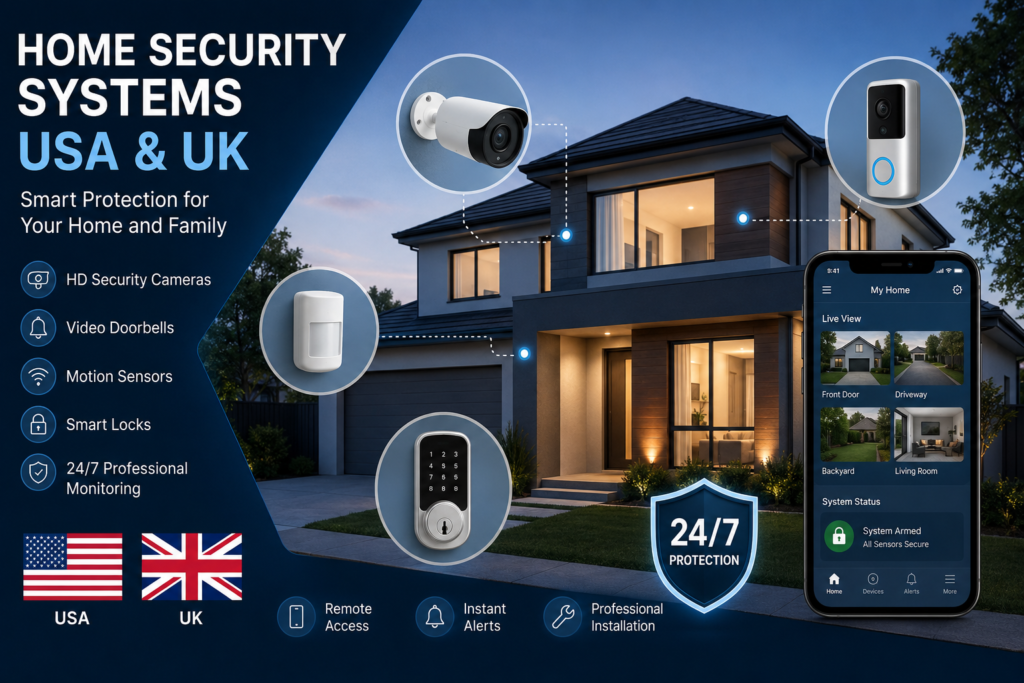
Home security has changed dramatically in recent years. Modern homeowners are no longer limited to traditional alarm systems. Today, security cameras, video doorbells, smart locks, motion sensors, professional monitoring and mobile security apps can all work together to protect a property.
For homeowners in the USA and UK, choosing the right security system depends on several factors, including the size of the property, installation requirements, monitoring preferences, equipment costs and long-term subscription fees.
This guide explains what to look for when comparing home security systems and how to choose an option that fits your needs and budget.
Why Home Security Systems Are Becoming More Popular
Security technology has become easier to install and manage. Many modern systems allow homeowners to monitor their property remotely through a smartphone.
A typical smart security setup may include:
- Indoor security cameras
- Outdoor security cameras
- Video doorbells
- Motion sensors
- Door and window sensors
- Smart locks
- Glass-break sensors
- Alarm sirens
- Professional monitoring
- Mobile security applications
The U.S. home-security market is particularly active. A 2026 industry report estimated that approximately 74.9 million U.S. households have security cameras, while 58.9 million have video doorbells.
What Should You Look for in a Home Security System?
Before buying a security system, compare more than just the advertised equipment price.
1. Professional vs DIY Installation
DIY systems can be attractive for renters and homeowners who want a simpler installation process. Many wireless devices can be installed without professional technicians.
Professional installation may be more suitable for larger properties or homeowners who want an expert to configure cameras, sensors and alarms.
2. Professional Monitoring
Some security companies offer 24/7 professional monitoring.
When an alarm is triggered, a monitoring center can receive the alert and follow the provider’s emergency-response procedures.
If professional monitoring is important to you, check the monthly subscription cost, contract requirements, cancellation terms and exactly what services are included.
3. Security Cameras
Camera quality is one of the most important factors to consider.
Look for features such as:
- HD or higher-resolution video
- Night vision
- Motion detection
- Wide viewing angles
- Two-way audio
- Mobile notifications
- Cloud or local storage
- Person or vehicle detection
Outdoor cameras should also be designed for the weather conditions in your area.
4. Video Doorbells
Video doorbells have become one of the most popular smart-security devices.
They can allow homeowners to see visitors, communicate through two-way audio and receive alerts when movement is detected near the front door.
A good video doorbell should offer reliable connectivity, clear video and useful notification controls.
5. Smart Locks
Smart locks can provide another layer of convenience and security.
Depending on the model, homeowners may be able to unlock doors using a smartphone, keypad or temporary access code.
For families, landlords and short-term property managers, temporary access codes can be particularly useful.
Best Home Security Features for Different Homes
Not every property needs the same security setup.
Best for Apartments
Apartment residents may prefer a compact wireless system containing:
- Video doorbell
- Indoor camera
- Door sensor
- Window sensor
- Smart lock
Wireless equipment can be easier to install and move when changing properties.
Best for Single-Family Homes
A larger home may benefit from multiple layers of protection.
A typical setup could include:
- Front-door video doorbell
- Outdoor cameras
- Garage camera
- Door and window sensors
- Motion detectors
- Smart locks
- Professional monitoring
The exact configuration should depend on the property’s layout and individual security concerns.
Best for Large Properties
Large properties may require a more comprehensive approach.
Homeowners should consider camera placement, network coverage, outdoor lighting, multiple entry points and backup connectivity.
Professional installation can also be worth considering when a property has many cameras and sensors.
USA vs UK Home Security Considerations
Although many security technologies are available in both countries, homeowners should consider local requirements and service availability.
In the USA, consumers can find a wide range of professionally monitored and DIY security products. In the UK, homeowners can also choose from professionally installed alarms, smart cameras, video doorbells and monitoring services.
Before purchasing equipment, check whether the system is fully supported in your country and whether its monitoring service operates in your area.
How Much Does Home Security Cost?
The total cost of a security system usually has several components:
Equipment cost + installation cost + monitoring subscription + storage or optional services
A system with inexpensive hardware may become more expensive over time if it requires a large monthly subscription.
On the other hand, a system with a higher initial price may provide more features without requiring an expensive long-term plan.
Therefore, homeowners should compare the total cost of ownership, rather than looking only at the initial equipment price.
Are Smart Security Cameras Worth It?
For many homeowners, cameras can provide useful visibility around a property.
However, cameras should not be considered a complete security solution by themselves.
A more comprehensive approach combines cameras with physical security measures, strong locks, appropriate lighting, sensors and—when desired—professional monitoring.
Popular Home Security Brands
Several brands have become well-known in the U.S. home-security market, including Ring, ADT, Google Nest, SimpliSafe, Wyze and others.
A 2026 consumer survey from SafeHome.org found Ring to be the most commonly identified primary security-camera or system brand among its respondents, followed by ADT and Google Nest.
Brand popularity, however, should not be the only factor in a purchasing decision. Compare equipment, monthly fees, warranties, installation options, storage policies and customer support before choosing a provider.
How to Choose the Right Security System
Use these questions before making a purchase:
Do you own or rent your property?
Renters may prefer portable wireless equipment, while homeowners can consider permanent installations.
Do you want professional monitoring?
If you want a monitoring center involved in alarm events, compare monitoring plans carefully.
How many cameras do you need?
Start by identifying important areas such as entrances, driveways, garages and outdoor spaces.
Do you need cloud storage?
Cloud storage can make recorded footage easier to access remotely, but it may require a subscription.
What is your long-term budget?
Calculate the equipment price plus monthly fees over at least one or two years.
Final Verdict
The best home security system is not necessarily the one with the most cameras or the lowest advertised price.
For homeowners in the USA and UK, the better approach is to choose a system based on the property’s layout, desired level of protection, installation preferences, monitoring requirements and long-term costs.
Before purchasing, compare the complete package—including hardware, installation, subscriptions, warranties and customer support.
A carefully planned combination of security cameras, sensors, smart locks, alarms and appropriate monitoring can provide a more complete security strategy than relying on a single device.
Frequently Asked Questions
What is the best home security system?
There is no single best system for every household. The right option depends on property size, budget, installation preferences and monitoring requirements.
Are wireless security systems reliable?
Modern wireless systems can be convenient and reliable, but performance depends on network coverage, device quality, power availability and the property’s layout.
Is professional monitoring worth paying for?
It can be useful for homeowners who want an additional monitoring service rather than managing every security alert themselves. Compare the monthly cost and contract terms before subscribing.
Do security cameras prevent burglary?
Visible security equipment may act as a deterrent, but no camera can guarantee that a burglary will not occur. Cameras are best considered one part of a broader security strategy.
Should I buy a security system with a monthly fee?
That depends on the features you need. Compare the long-term cost of subscription-based systems with alternatives that offer fewer recurring fees.
What should I check before buying a security camera?
Consider video quality, night vision, motion detection, storage options, privacy settings, weather resistance, connectivity and the total cost of ownership.